Excel is convenient,
but not for everything
When your organization needs more than a spreadsheet
Request Free Analysis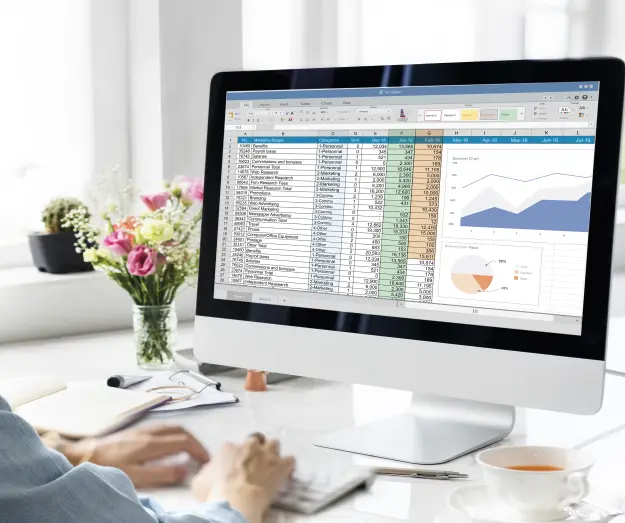
From Spreadsheet to Strategic Insights
Excel is the starting point for data analysis for millions of businesses worldwide. From small enterprises to multinational corporations – almost everyone starts here. But what makes Excel so powerful for data analysis? And more importantly: when does your growing organization need more?
*Results based on comparative projects by EasyData, from 2020-2025. Individual performance varies per technical analysis which we’re happy to discuss with you.
Free analysis · Response within 48 hours · No obligations
Five Ways Excel Solves Daily Data Problems
Data Organization: From Chaos to Structure
The fundamental problem Excel solves? Converting unstructured data into usable information. Organize information in rows and columns, remove duplicates, fill in missing values.
Quick Calculations and Analysis
Excel makes complex calculations accessible to everyone. With functions like SUM, AVERAGE, SUMIF, a sales manager has their answers within minutes – no IT department needed.
Visualization: Make Data Understandable
Numbers tell stories, but charts make them convincing. Excel’s visualization tools help reveal patterns and trends that remain hidden in columns of numbers.
Pivot Tables: Powerful Summarization
Possibly Excel’s most underrated feature. Aggregate thousands of rows of data, analyze trends across multiple dimensions, create summaries for decision-making – with just a few clicks.
Accessibility and Universal Adoption
The biggest advantage? Everyone has it, everyone knows it, and everyone can collaborate with it. Crucial for consultants: work anywhere, make direct changes, run “what-if” scenarios.
“Pivot tables give you answers faster than any other data analysis tool – at least, if your data doesn’t run into terabytes.”
The Limitations: When Excel Falls Short
But here’s the flip side. Every expert who responded to the question “How is Excel used in data analysis?” ended with an important warning: Excel has limits.
Problem 1: Scalability
Excel starts groaning at:
- More than 100,000 rows of data
- Complex calculations across multiple datasets
- Real-time data processing
- Automated workflows
Problem 2: Human Errors
Excel’s flexibility is also its weakness:
- Version chaos: Which file is the most recent?
- Manual errors: One wrong formula undermines everything
- No audit trail: Who changed what?
- GDPR risks: Sensitive data in loose files
⚠️ Real Example: NHS COVID Tracking
The NHS in the UK made this painfully clear when their COVID tracking system in Excel quietly crashed because it exceeded the maximum table size. Thousands of cases went unregistered – without warning.
“If you’re really doing data science – with predictive models and machine learning – you’ve long moved beyond Excel.”
⏰ How much does your organization cost every day?
A finance manager spends an average of 3.5 hours per day on manual data entry. That’s €350+ per day in wasted labor costs.*
*Based on average hourly rate of €100 for finance professionals
The Transition: From Excel to Intelligent Document Processing
“We went from 6 hours of manual work to 5 minutes of automation. The ROI was achieved within 2 months.”
— CFO, Municipality (200+ employees)
For organizations struggling with invoice processing, document automation, or data extraction from PDFs and scanned documents, the step beyond Excel is essential.
Do you recognize these signals?
- Your team spends hours on manual data entry from PDFs into Excel
- The same data is retyped multiple times between systems
- Auditors ask for more traceability than Excel can provide
- You’re growing, and Excel processes become bottlenecks
- GDPR compliance requires better control over document flows
The Solution: Intelligent Automation
Modern OCR and AI-driven document processing solves where Excel stops:
Automatic data extraction
Invoices, contracts, forms – automatically processed, without manual input. Structured workflows: From document receipt to archiving, everything traceable and GDPR-compliant.
Data sovereignty
Your data stays in local/European data centers, fully under your control. Integration with existing systems: From Excel output to ERP connection – seamlessly integrated.
Excel as a Starting Point, Not an Endpoint
Excel solves real problems – that’s why it has been the standard for decades. For quick analyses, reports, and ad-hoc calculations, it remains unbeatable.
But growing organizations discover that Excel is a starting point, not an endpoint. The real efficiency gains come when you process documents intelligently, extract data automatically, and orchestrate processes without manual intervention.
The Decisive Question
How much time does your organization lose with manual data processing that could be automated?
“Excel is excellent for data storage and quick analyses. But for real data science, automation and scalable processing? Then you need to look further.”
✅ Guarantee: No Results = No Costs
We always start with a free analysis. Only when you concretely see how much time and money you can save do you decide whether to proceed. Zero risk, maximum insight.
Claim Your Free Analysis →Frequently asked questions about Excel and automation
What exactly does an analysis cost?
Nothing. It’s free and without obligation. We analyze your current Excel processes, identify time wasters, and give you a concrete report with potential savings. Only if you then decide to proceed do we discuss costs. No hidden costs, no obligations.
How much can I realistically save?
Our clients save an average of €50K per year on labor costs. A finance manager who spends 3.5 hours per day manually entering data (€350/day) can save 90% of that time after automation. That’s €315 per day, or €82K per year for one employee.
When is it time to go beyond Excel?
When your team spends hours daily on manual data entry, when Excel files crash due to large datasets, or when GDPR compliance requires more traceability than Excel can provide. These are clear signals that automation is needed.
Can we continue using Excel after automation?
Absolutely! We automate the data input and processing, but often still deliver the output in Excel format. Your team can continue working with their familiar interface, but without manual input.
What happens to our data? Is it safe?
Your data stays 100% within local/European data centers. We are fully GDPR-compliant with data sovereignty as a starting point. All our employees have background checks and sign NDAs.
How long does a typical implementation take?
For simple PDF-to-Excel processes, we can go live within 2-3 weeks. More complex multi-source integrations take 6-8 weeks. We always start with a proof-of-concept within 1 week.
What data sources can you automatically process?
Practically any source: PDF documents, websites, ERP systems, databases, email attachments, handwritten documents, APIs, and even physical documents via OCR scanning.
Can we do a small test first?
Certainly. We always start with a proof-of-concept on a limited part of your data. This way you can evaluate the results and validate the business case before considering a full implementation.
Ready to go from manual chaos to automated control?
💶 Save €50K+ annually • ⚡ From 6 hours to 5 minutes • 🎯 99% accuracy • 🇪🇺 100% compliance
Excellence in document automation
25+ years of proven expertise in data extraction and Excel integration
Local data centers: Your data stays within local/European borders
Transparent pricing: No hidden costs, clear ROI within 6 months
Personal approach: Local contacts who understand your industry
No vendor lock-in: You retain ownership of templates and processes
⭐ About the author