
Azure Disconnected Containers: Run AI locally without internet
Run Document Intelligence, Content Safety and Speech locally. Fully offline, data stays within your network
Discuss your use case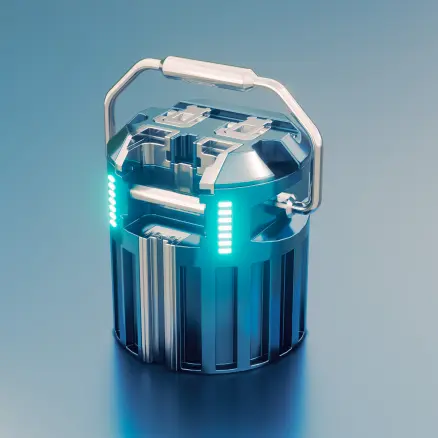
What are Azure Disconnected Containers?
Azure Disconnected Containers enable you to deploy powerful Azure AI services such as Document Intelligence, Content Safety and Speech-to-Text on-site or in edge environments, without a permanent internet connection. Microsoft offers these containers specifically for organizations with strict security requirements, zero-connectivity needs or intermittent internet access.
How do Azure Disconnected Containers work?
The container images are pulled once from the Microsoft Container Registry (MCR). Then you run the container once in “connected” mode with the parameter DownloadLicense=True to generate a license file. After that, everything works fully offline.
The illustration shows the architecture schematically: the Azure Disconnected Container runs as a self-contained, isolated unit within your own infrastructure. The container holds the complete AI model and all required components to analyze documents, extract text or recognize speech. No connection to the Azure cloud is needed. The license file acts as the key that activates the container for offline use.
Usage data is written locally to a mounted volume. This data can later be collected and reported to Azure for billing purposes. This way you maintain full control over when and what information leaves your network. In practice, organizations decide for themselves whether and when they share usage data. There is no automatic “phone home” functionality active. This makes Azure Disconnected Containers particularly suitable for air-gapped environments and sectors where digital sovereignty is a hard requirement.
Access to Azure Disconnected Containers is restricted to strategic customers and partners approved by Microsoft. An annual commitment plan applies that is prepaid. EasyData guides you through the entire process: from the initial application and configuration to a working container in your own environment.
🤖 Supported Azure AI Services
These Azure AI services are available as Azure Disconnected Containers for fully offline use.
Document Intelligence
Formerly Form Recognizer. Automatic extraction of text, tables and structure from documents, invoices and forms.
Azure AI Content Safety
Detection of unwanted content in text and images. Local content moderation according to compliance requirements.
Speech-to-Text
Speech recognition and transcription within your own network. For confidential conversations and sensitive audio.
Case: Symbol recognition in technical drawings
The challenge
An organization wanted to automatically recognize and classify symbols and specific features in complex technical drawings. The drawings contained various symbol types that were time-consuming and error-prone to inventory manually. Moreover, due to their sensitive nature, the drawings were not allowed to leave the corporate network.
Our hybrid approach
EasyData combined Azure Document Intelligence via a Disconnected Container with open source algorithms for image analysis. The Azure AI component provides fast basic recognition of document structures and text. Additionally, we deployed open source computer vision algorithms to locate and classify specific symbols.
The result
A working pipeline that automatically analyzes technical drawings, detects and classifies symbols. Fully within the corporate network. Complete audit trail and reproducible results. Integrates with existing workflow software and document automation.

Want to deploy Azure AI locally?
Schedule a no-obligation call. We discuss your use case and explore whether Azure Disconnected Containers fit your situation.
🛠️ Related EasyData services
We combine Azure Disconnected Containers with our broad expertise in document processing and AI.
Intelligent Document Processing
AI-driven IDP that understands documents, not just reads them. From invoices to contracts, locally or in the cloud.
Technical Drawings
Automatic recognition of symbols, dimensioning and title blocks in CAD drawings and building plans.
Open Source Components
Hybrid approach: combine Azure AI with open source algorithms for optimal cost-benefit ratio.
Custom Software
Custom solutions when standard services are not enough. European developers, transparent pricing.
Implementation in 5 steps
1. Request approval: Microsoft evaluates your application. EasyData guides the process and ensures all requirements are met.
2. Pull container image: one-time download via the Microsoft Container Registry (MCR). Temporary internet connection required.
3. Generate license: run the container once in connected mode with DownloadLicense=True.
4. Offline configuration: configure CPU/memory allocations and mount the local volume for usage data.
5. Production and monitoring: the container runs fully offline. EasyData supports with on-premise monitoring and periodic reporting.
Why EasyData as your partner?
Start with a Proof of Concept
We assess the feasibility of Azure Disconnected Containers for your specific use case. From symbol recognition to document processing, fully within your own network.
💡 What you can expect
Free Proof of Concept: test on your documents and infrastructure
Microsoft application guidance: we handle the approval process
Hybrid solutions: Azure AI + open source, optimal cost-benefit
No vendor lock-in: open architecture, your data remains yours
Frequently asked questions about Azure Disconnected Containers
What exactly are Azure Disconnected Containers?
Azure Disconnected Containers are Docker containers from Microsoft that run Azure AI services locally without an internet connection. After a one-time setup with license generation, they work fully offline. Supported services are Document Intelligence (formerly Form Recognizer), Content Safety and Speech-to-Text. They are designed for organizations with strict security requirements where data must not leave the network.
Who can access Azure Disconnected Containers?
Access is limited to strategic customers and partners approved by Microsoft. An annual commitment plan applies that is prepaid. EasyData can guide you through the application process and advise on the best approach for your situation.
Can EasyData also provide fully open source alternatives?
Yes, we can solve everything with proprietary or open source algorithms as well. Our hybrid approach combines Azure AI for fast basic recognition with open source computer vision for specific tasks. Fully open source is possible but typically involves additional development costs. We advise per project what delivers the best cost-benefit ratio.
How is billing handled with offline containers?
The containers write usage data to a locally mounted volume. This data can be periodically collected and reported to Azure for billing. You decide when and how often you do this. The annual commitment plan is prepaid, so you know upfront what to expect.
Is a Proof of Concept possible for our specific use case?
Absolutely. EasyData offers Proof of Concept trajectories to assess feasibility. From symbol recognition in technical drawings to invoice processing and anonymization. We prove it works first before you invest.
What are the technical requirements?
You need Docker as a container runtime, sufficient CPU and memory capacity (depending on the chosen service), and a mounted volume for the license file and usage data. For the initial setup, a temporary internet connection is required to pull the container image and generate the license. After that, everything runs fully offline.
What is the difference compared to on-premise OCR?
Traditional on-premise OCR runs locally but is often limited to text recognition. Azure Disconnected Containers offer the full power of Azure AI, including document structure recognition, table extraction and content safety, but locally. It is Azure-quality without cloud dependency. EasyData combines this with open source components for maximum flexibility.
🖌️ About the author